Sergio Sánchez
Trika, Apple Health, Apple Watch and Garmin: what syncs today
Trika does not import Apple Health data yet. It saves Apple Watch workouts to Health, syncs Garmin watches, and reads your routine from screenshots or text.
Trika does not import your Apple Health data today, so there is no button that pulls your history in. What it does is the other direction: the Trika Apple Watch app saves each finished workout to Apple Health, supported Garmin watches save to Garmin Connect, and an existing routine comes in as screenshots or pasted text. Trika: Workout & Meal Planner, the fitness app from SEIS Tecnología, builds your plan from what you tell it and what you do in the app, not from an imported archive.
How do I import my Apple Health data into Trika for a full fitness picture?
You can’t yet, and it is better to know that before you start looking for the setting. The iPhone app does not read from Apple Health. The “full fitness picture” Trika gives you comes from a different place: one plan that covers your training and your meals, and a record of what you did against it.
This guide covers what syncs today, how to bring a routine from another app, what Trika uses instead of imported history, what is coming, and which apps to use if your real goal is seeing every tracker in one place.
What syncs today
Apple Watch to Apple Health
The Trika app for Apple Watch runs the workout on your wrist. While you train, it mirrors live heart rate and calories to your phone. When you finish, it saves the workout to Apple Health, where it appears with the heart rate and calories from the session.
So Apple Health knows about your Trika workouts, in the same way it knows about workouts from any other app that writes to it. You can see which apps are allowed to read and write in the Health app’s sharing settings; Apple’s guide to sharing your health data walks through it. Trika writes; it does not read.
Garmin watches to Garmin Connect
On supported Garmin watches, Trika plays the workout on the wrist and saves it to Garmin Connect with heart rate and calories. The Forerunner 55 shows the plan but does not play the workout. The Garmin app also has a glance with today’s nutrition totals, so you can check how the day’s eating is going from your watch.
Garmin Connect is the record of record for Garmin users, and Trika’s workouts land there alongside everything else the watch tracks.
Android
There is no Google Fit or Health Connect support in the Android app today. Workouts you complete in Trika on Android stay in Trika.
Bringing a routine in from another app
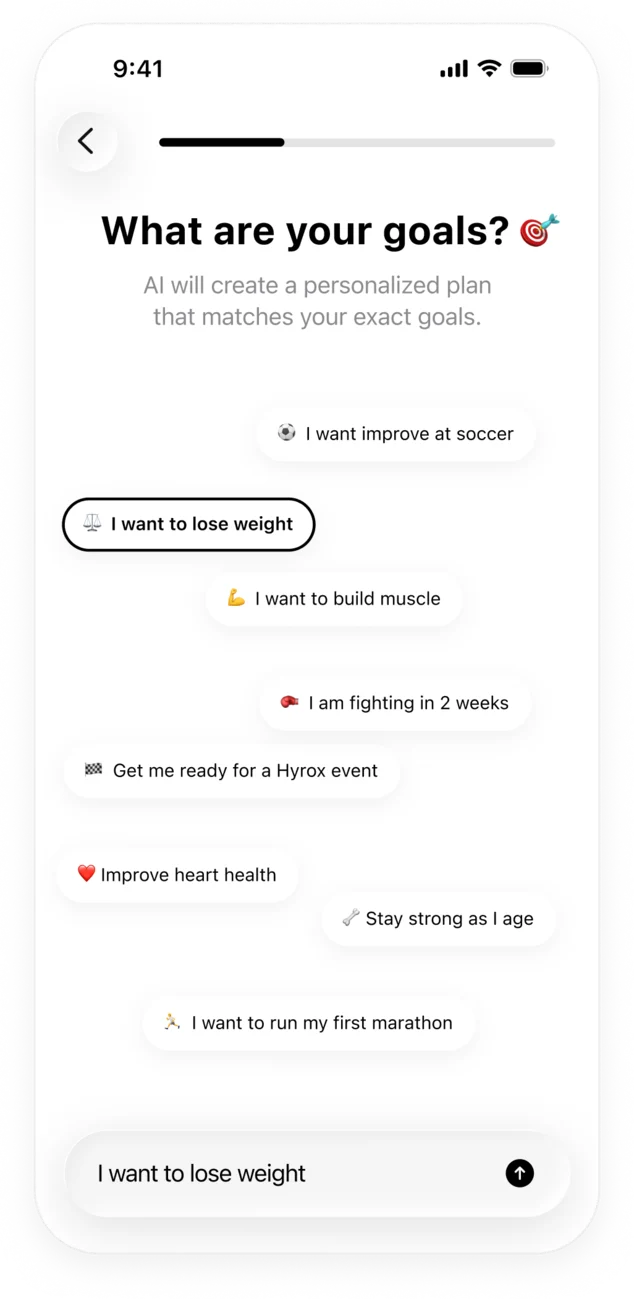
If you already follow a program in another app, you don’t have to type it out. During setup, Trika asks what you’re training for and runs a short chat to collect your training days, session length, equipment, injuries and food preferences. At that point you can:
- Paste the plan as text, copied from wherever it lives.
- Add screenshots of the routine from any other app.
Trika reads them into your profile and uses them when it builds the program. This is an import of your routine, not of your history: Trika learns what you do, not the numbers from every session you’ve logged elsewhere.
What Trika builds the plan from
Because nothing comes in from Apple Health, it helps to know what Trika does use.
- Your goal, in your own words: “lose weight and keep muscle”, “first marathon”, “ready for HYROX in 16 weeks”.
- Your week: training days and how long a session can be.
- Your equipment, from a full gym to a pair of dumbbells.
- Injuries the plan has to work around.
- Food preferences and allergies.
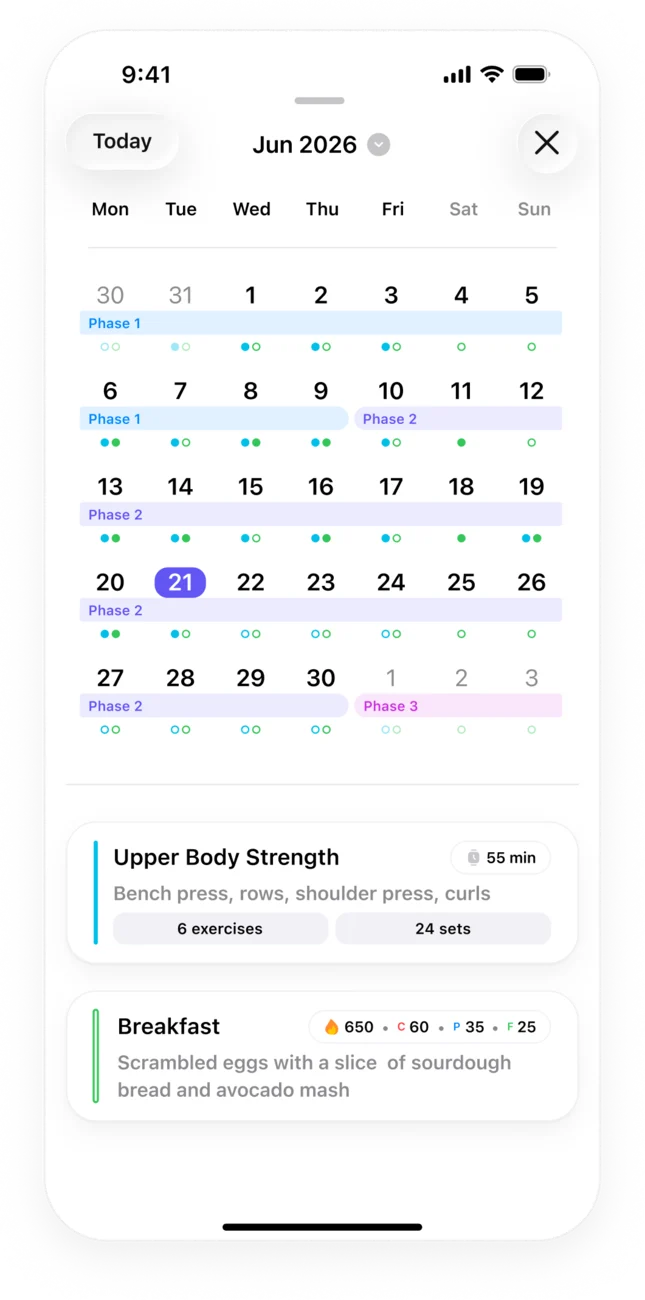
From that, Trika builds a multi-week program in phases, with daily calorie and macro targets that are built around each day’s session. For how the plan is put together, read how Trika builds a personalized workout and meal plan.
Once you’re training, the picture fills in from inside the app:
- Workouts are guided set by set, and the loads you lift are recorded as you go.
- Meals are logged by photo or in plain text, and Trika returns the calories and macros.
- The calendar shows the training block with a dot per session, filled when done.
- Daily and weekly insights read the data you log.
- The coach remembers what you tell it, and you can see and edit what it knows under “What the coach remembers”.
That is the “full picture” Trika offers: planned versus done, for training and food, in one place. It is narrower than a health dashboard, and it is built on what you do in the app rather than on data pulled from elsewhere. For what the progress views look like, see how to track your workout and nutrition progress with Trika.
What is coming
Two things are planned but not shipped, so don’t count on them yet:
- Apple Health sync in the iPhone app, so Trika can read as well as write.
- Importing workout history from other apps, beyond the routine import that exists today.
Neither has a date. When they ship, they will be in the App Store release notes.
If you need all your health data in one place
If your actual question is “how do I see everything from every tracker together?”, Trika is the wrong tool, and it is worth saying so plainly.
- The Health app on iPhone is where Apple keeps your health information in one place, and it accepts data from apps and devices that are allowed to write to it. Trika’s workouts already land there, next to your sleep, steps and anything your other apps write. For most people on iPhone, this is the answer.
- FitnessSyncer connects more than 50 sources, including Apple Health, Garmin Connect, Fitbit, Strava, Google Fit and Health Connect, into one dashboard, and can pass activities from one platform to another. It has a free sign-up and a Pro tier.
- Health Sync syncs between services such as Garmin, Strava, Google Fit, Health Connect and Samsung Health on Android, with an iOS version since 2024 that is sold for a one-time fee.
A sensible setup on iPhone is Trika for the plan, Apple Watch to run the workouts, and the Health app as the archive. On Garmin, Trika plays the session and Garmin Connect keeps the record.
A short checklist
- Don’t look for an Apple Health import in Trika; it isn’t there yet.
- Bring an existing routine in as text or screenshots during setup.
- Run workouts from the Apple Watch or Garmin app so they’re saved to Apple Health or Garmin Connect.
- Log meals by photo or text so the day’s targets mean something.
- Keep the Health app or an aggregator as your all-sources view.
Questions people ask
Can Trika sync with Apple Health and Google Fit for complete workout and nutrition analysis?
Partly. On iPhone, the Trika Apple Watch app saves each finished workout to Apple Health with heart rate and calories, but the iPhone app does not read Apple Health, so nothing flows the other way yet. On Android there is no Google Fit or Health Connect support. Trika builds its workout and nutrition analysis from what you do inside the app: the sessions you complete and the meals you log.
Trika vs other fitness apps for importing and viewing all my health data in one place?
Trika is not the app for that job. It plans training and nutrition and writes workouts out to Apple Health and Garmin Connect; it does not pull data in from other sources. If you want every tracker in one view, use the Health app on iPhone, which collects data from apps and devices that are allowed to write to it, or an aggregator such as FitnessSyncer, which connects more than 50 services. Trika sits alongside those as the app that tells you what to train and eat.
Can I bring my current training plan into Trika?
Yes. During setup you can paste the plan as text or add screenshots from any other app, and Trika reads them into your profile. That is how an existing routine comes in today. Importing your workout history, as opposed to your routine, is coming but has not shipped.
Get Trika
Free to download. Trika Pro unlocks the full plan.